OEM product
Learning platform (OEM)
Ship a complete pronunciation practice product under your brand. Teachers manage classes and content; learners practise assigned sentences, scenarios, or freeform text—with scores, guides, and optional visual articulation backed by Spelly.
What you get
The learning platform is an OEM product for organisations that want more than a widget or API wrapper: a ready-made web experience your team can run on your infrastructure, customised for your learners and commercial model.
- Language schools and university language centres that need a branded practice hub.
- Edtech platforms adding pronunciation coaching without hiring a speech-science team.
- Corporate L&D or aviation training programmes with cohort-based assignments.
- Publishers piloting structured content (sentences, scenarios, interactions) before deeper LMS integration.
How it fits together (high level)
We separate what learners see from how assessment runs. Your deployment owns accounts, classes, and assignments; Spelly supplies pronunciation intelligence through a server-side integration agreed in your partner pack.
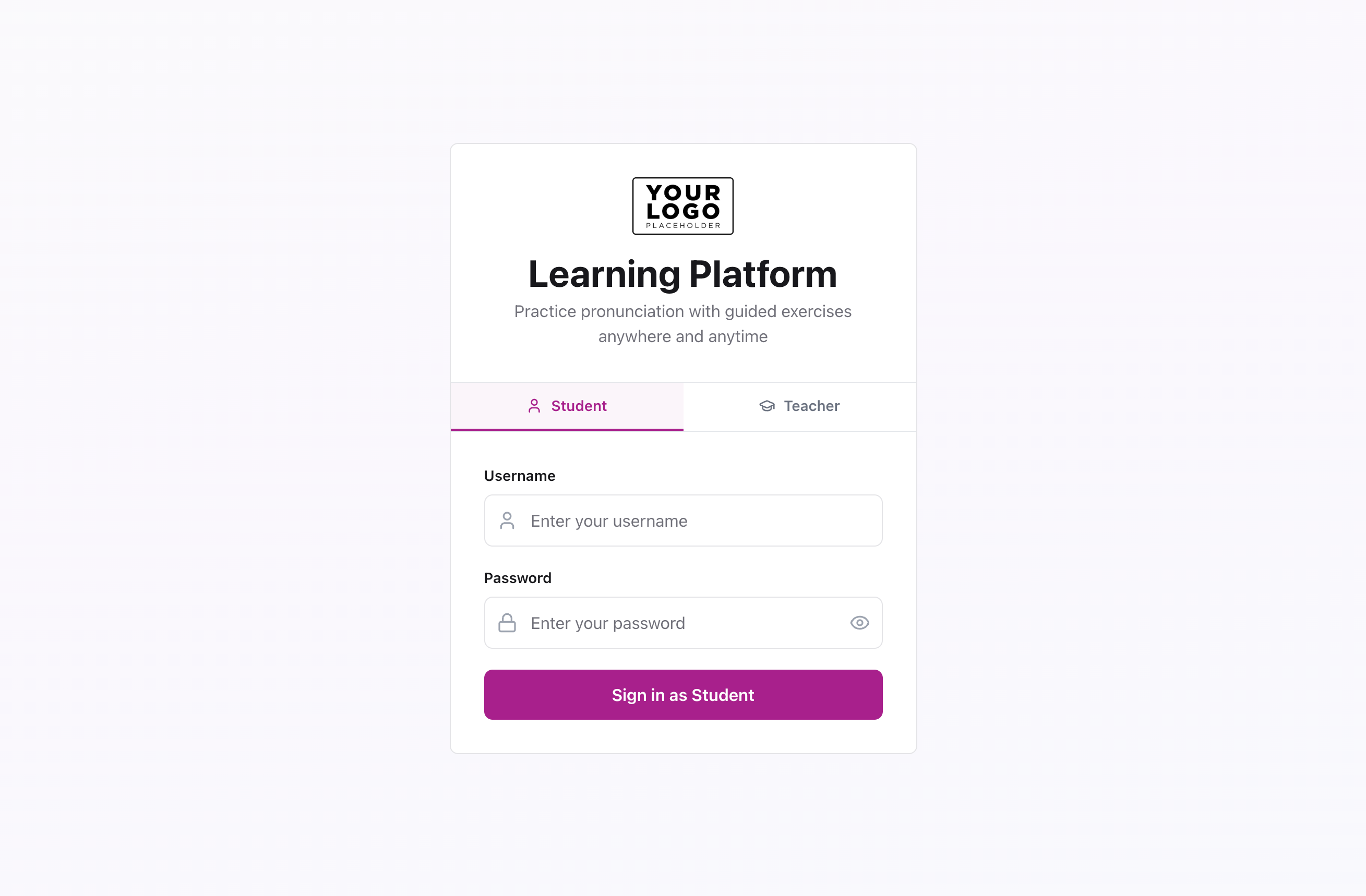
Learners and teachers use your branded web application (logo, colours, platform name, sign-in).
Your backend stores tenant data—classes, students, assignments, attempt history—and calls Spelly services for assessment, reference audio, pronunciation guides, and viseme assets. Credentials stay on the server; browsers never receive partner API secrets.
Responses are normalised for your UI: headline scores, word- and phone-level feedback, stored recordings for review, and optional mouth/tongue visualisation during listen-and-repeat flows.
Teacher dashboard
Instructors get a home for day-to-day operations: create classes, add students, author or import content, assign homework with due dates, and preview exercises before learners see them.
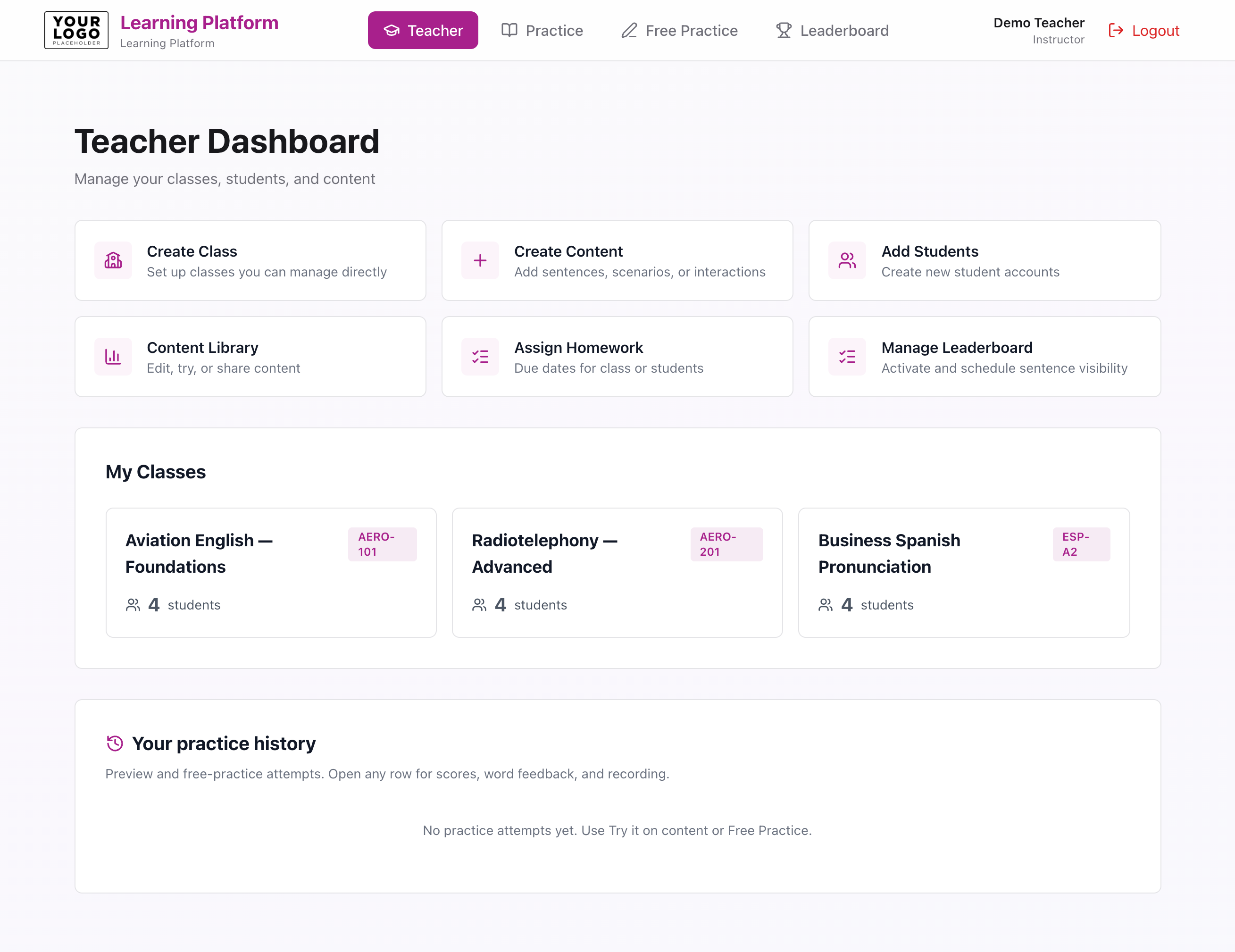
- Create and manage classes with shareable class codes.
- Build content libraries: single sentences, multi-step scenarios, and interaction-style turns.
- Assign work to a class or subset of students with optional due dates.
- Try any exercise as a learner (“preview”) before publishing.
- Review recent practice attempts—including your own—with full score breakdown and playback.
- Configure leaderboard sentences and visibility where enabled.
Learner practice flows
Students sign in to your branded experience, open assigned work from their dashboard, or use free practice for ad-hoc sentences. Structured items keep learners on curriculum; free practice supports revision and experimentation within agreed limits.
- Dashboard with assignments, progress cues, and links to practice modes enabled for your tenant.
- Structured practice: read the prompt, listen to reference audio, record, and receive Spelly feedback.
- Pronunciation guide with tap-to-hear phonemes; teachers can preview the same flows.
- Leaderboards and class codes where your programme uses competitive or cohort mechanics.
Free practice & visual articulation
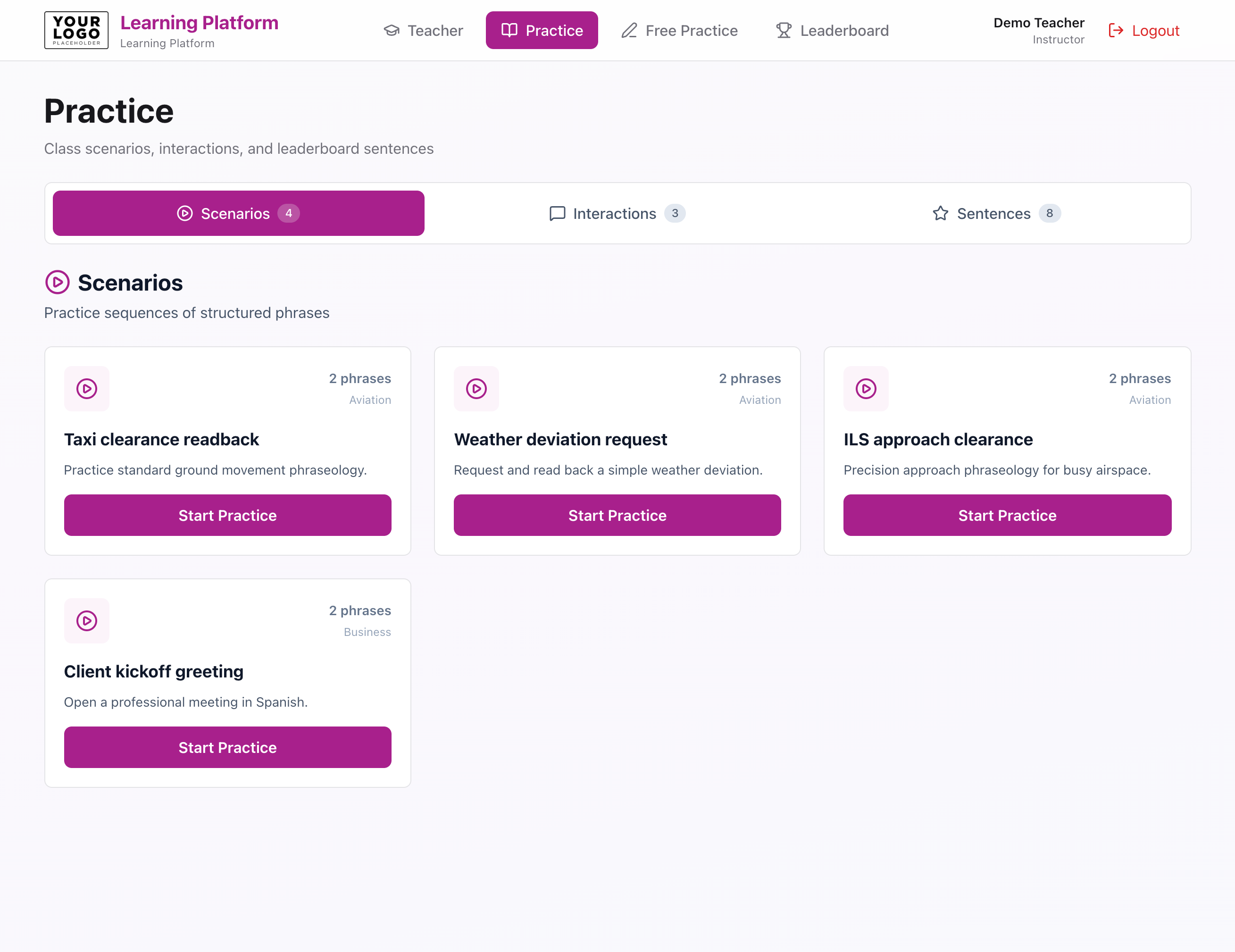
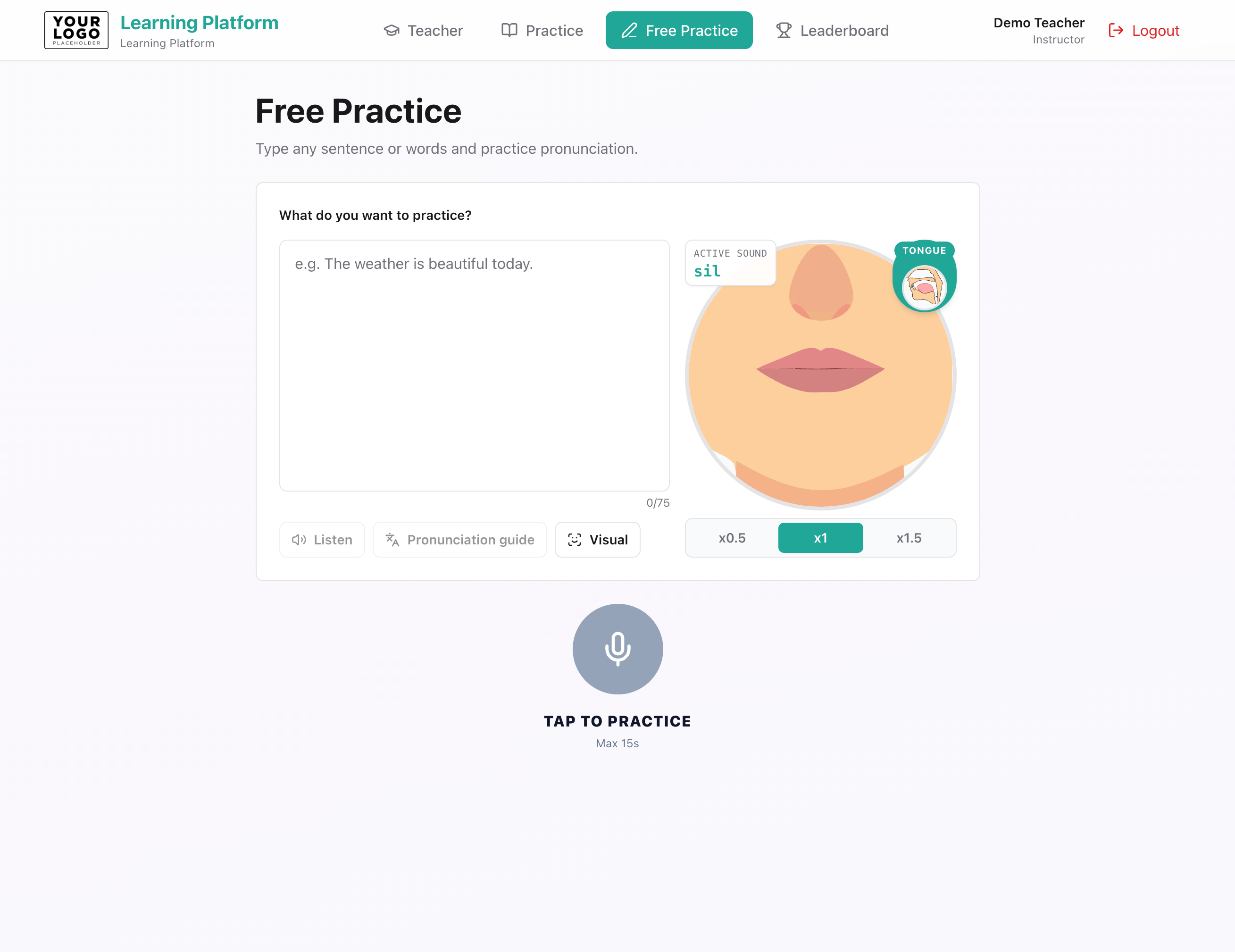
Free practice lets learners type a short sentence (within an agreed character limit), listen with aligned reference audio, toggle a pronunciation guide, and optionally show mouth/tongue articulation with playback speed controls—useful for homework help and self-study.
Branding & white-label controls
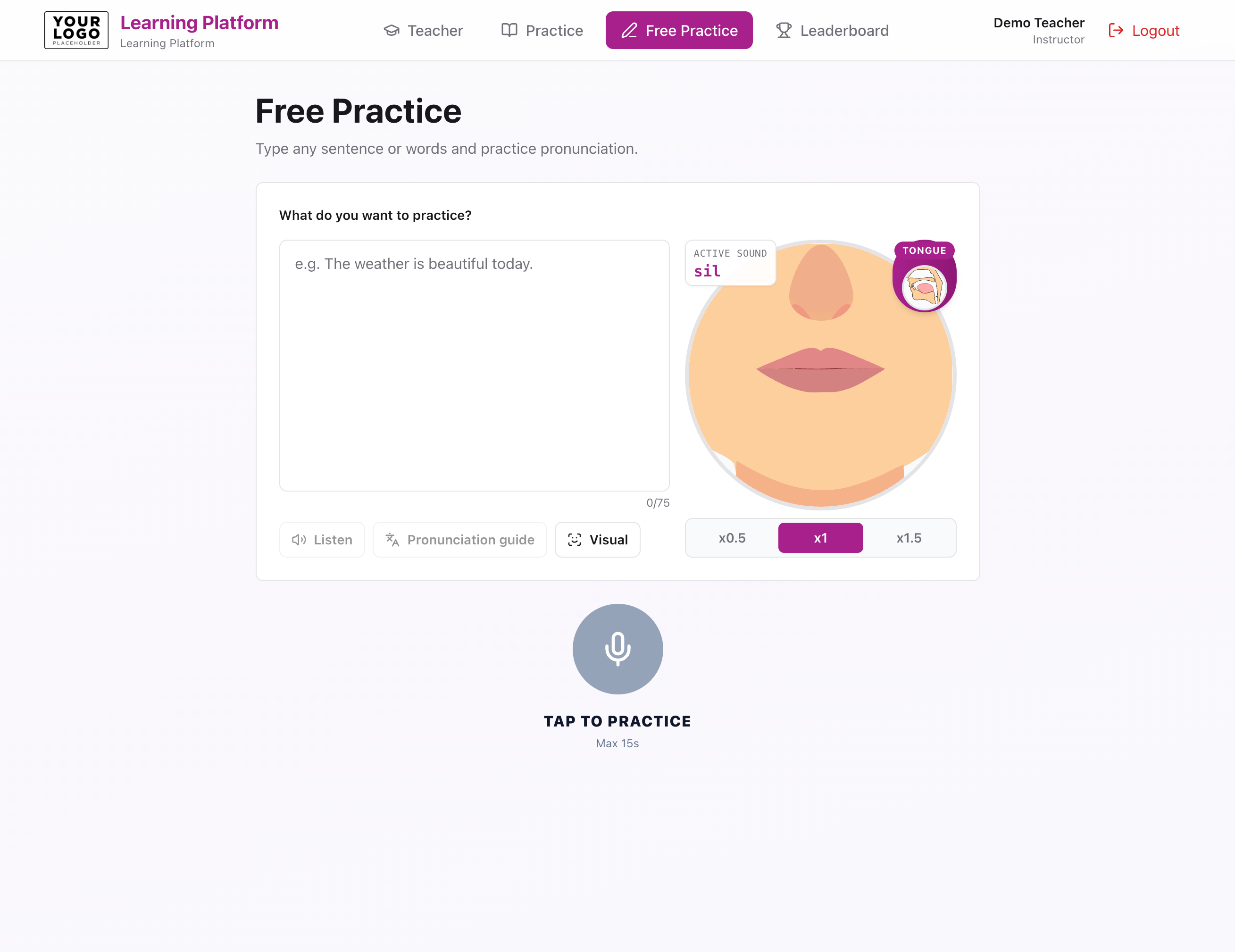
Partners choose how closely the product should resemble Spelly versus their own identity. We configure visual tokens and copy defaults in your deployment; we do not publish internal theme file names here.
- Logo and platform name shown in header, sign-in, and learner-facing copy.
- Primary accent, surfaces, and light/dark palettes aligned to your brand guidelines.
- Optional tagline and welcome messaging for your organisation.
- Domain and TLS on your side; we support containerised deployments discussed during onboarding.
Same engine as Spelly partners already use
The platform is not a separate scoring model. It orchestrates the same families of capabilities documented for widget and API integrators—presented through education-specific UX.
- Pronunciation assessment with accuracy, completeness, fluency, and intelligibility-style signals where enabled.
- Synthetic reference audio, aligned timings, and IPA guides for coaching.
- Mouth and tongue viseme assets for listen-and-repeat, with speed controls for classroom pacing.
- Stored attempt history for teachers and learners to reopen results with playback—not only a one-off score.
Deployment & responsibility split
Exact hosting is agreed per partner. Typical setups run the learning platform on infrastructure you control, with outbound-only access to Spelly services. We provide onboarding documentation in your partner pack—not on this public page.
- You operate the learner-facing domain, user support, and data policies for your organisation.
- We operate pronunciation models, viseme assets, and API availability according to your SLA tier.
- Usage metering, pilot periods, and commercial terms are aligned before production traffic.
Widget, platform, or API?
Many partners start with one shape and add others later. None of these options exposes Spelly consumer accounts or energy mechanics to your learners unless you explicitly want that in a separate integration.
- Widget: fastest embed on an existing site; minimal LMS engineering.
- Learning platform: full school workflow when you want classes, assignments, and teacher review out of the box.
- API: maximum UX freedom when you already have an app shell and only need the assessment core.
See also the Embeddable widgetand API reference.
Scoping a pilot
Tell us your learner volume, languages, branding requirements, and whether you need teacher authoring, SSO, or grade-book export. We will propose a pilot scope, timeline, and pricing—without over-promising features still on your roadmap.
Time-boxed pilots are common so your instructional designers and IT team can validate flows before wider rollout. Contact us when you are ready to talk specifics.