
AI Tools for Improving Speaking: Fluency, Confidence, and Accent—A 2026 Guide
If you’re searching for AI tools for improving speaking, you’re not alone. Learners around the world— from beginners to busy professionals—want to speak more fluently, feel confident in conversations, and improve accent clarity. The good news: modern AI speaking practice tools can give you real-time feedback that used to require a private coach.
This 2026 guide compares popular apps, explains the features that matter most for language learning, and shows how Spelly’s visual feedback tool helps you improve fluency, pronunciation, and confidence faster.
Comparison: Popular AI Speaking Tools
Here’s a quick side-by-side view of common AI speaking apps. For learners who want clear guidance on what to change, tools that include visual feedback tend to feel more actionable. Spelly is built around visual feedback and can be tried here.
| Apps | Analysis | Multi‑Language Support | Course Learning | Visual Support | Cheapest Plan |
|---|---|---|---|---|---|
| ELSA Speak | Phoneme-level score | English only | Structured lessons | No | $60 / 3 months |
| BoldVoice | Phoneme-level score | English only | Video-based training | No | $25 / month |
| Say It | Overall score | English only | Online lessons | No | £35 / month |
| ChatterFox | Phoneme-level score | English only | Courses & lessons | No | $12.95 / month |
| Speakometer | Super basic overall score | English only | No | No | Free |
Note: Pricing and features can change over time. The table is a simple comparison reference based on publicly visible plan summaries.
Quick takeaway:
If the feedback feels like a score without a clear next step, progress can stall. Tools that show exactly what to adjust (and make it easy to repeat) tend to help most. Spelly’s visual feedback is designed for that kind of practice.
What Actually Improves Speaking?
1) Phoneme-Level Feedback
“Overall score” is helpful, but it doesn’t tell you what to fix. The best AI pronunciation tools explain which sounds are off, why they’re off, and how to correct mouth and tongue position.
2) Visual Support
Fluency improves when you can see what to do. Visual feedback—like visemes and tongue position—makes accent correction and clear speech more achievable, especially for challenging sounds.
3) Confidence Through Daily Practice
Short, daily routines build confidence. If you can practice 5–10 minutes a day, your brain builds new motor patterns for fluency, rhythm, and accent clarity.
How AI Speaking Tools Work (Simple Explanation)
Most AI speaking practice apps follow the same pipeline: you speak → the system transcribes your audio (speech recognition) → it compares your timing, pronunciation, and prosody to a reference → it gives you feedback. The difference between a “fun scoring app” and a true AI pronunciation coach is whether the feedback is actionable.
Actionable feedback answers 3 questions:
- What exactly went wrong? (sound, stress, rhythm, linking, speed)
- Why did it go wrong? (mouth movement, tongue placement, timing)
- How do you fix it today? (one adjustment + one repeatable exercise)
Fluency vs. Accent vs. Confidence (They’re Related, Not the Same)
Fluency
Fluency is mostly about timing: pace, pauses, stress patterns, and linking. If you want a deep dive, start with the rhythm of English.
Accent (Clarity)
“Accent improvement” is often really clarity improvement: better articulation and consistent vowel shapes. Many learners blame accent, but the real lever is mouth movement. See articulation + visemes.
Confidence
Confidence comes from predictable wins: you know what to practice, you can measure progress, and you can repeat the improvement. AI tools help here when they reduce uncertainty (“What should I fix next?”).
A Practical Checklist: What to Look For in an AI Speaking App
| Feature | Why it matters for language learning | What to test |
|---|---|---|
| Phoneme-level analysis | Fixes specific sounds instead of guessing | Do you get sound-by-sound guidance? |
| Stress + rhythm feedback | Boosts fluency and “naturalness” fast | Does it point to stressed words? |
| Visual pronunciation support | Speeds up articulation changes | Can you see mouth/tongue targets? |
| Multi-language / L1-aware hints | Targets mistakes from your native language | Does it adapt to your background? |
| Repeatable practice flows | Builds confidence with a daily routine | Can you do 5–10 minutes daily? |
Where Spelly Fits (and Why Visual Feedback Matters)
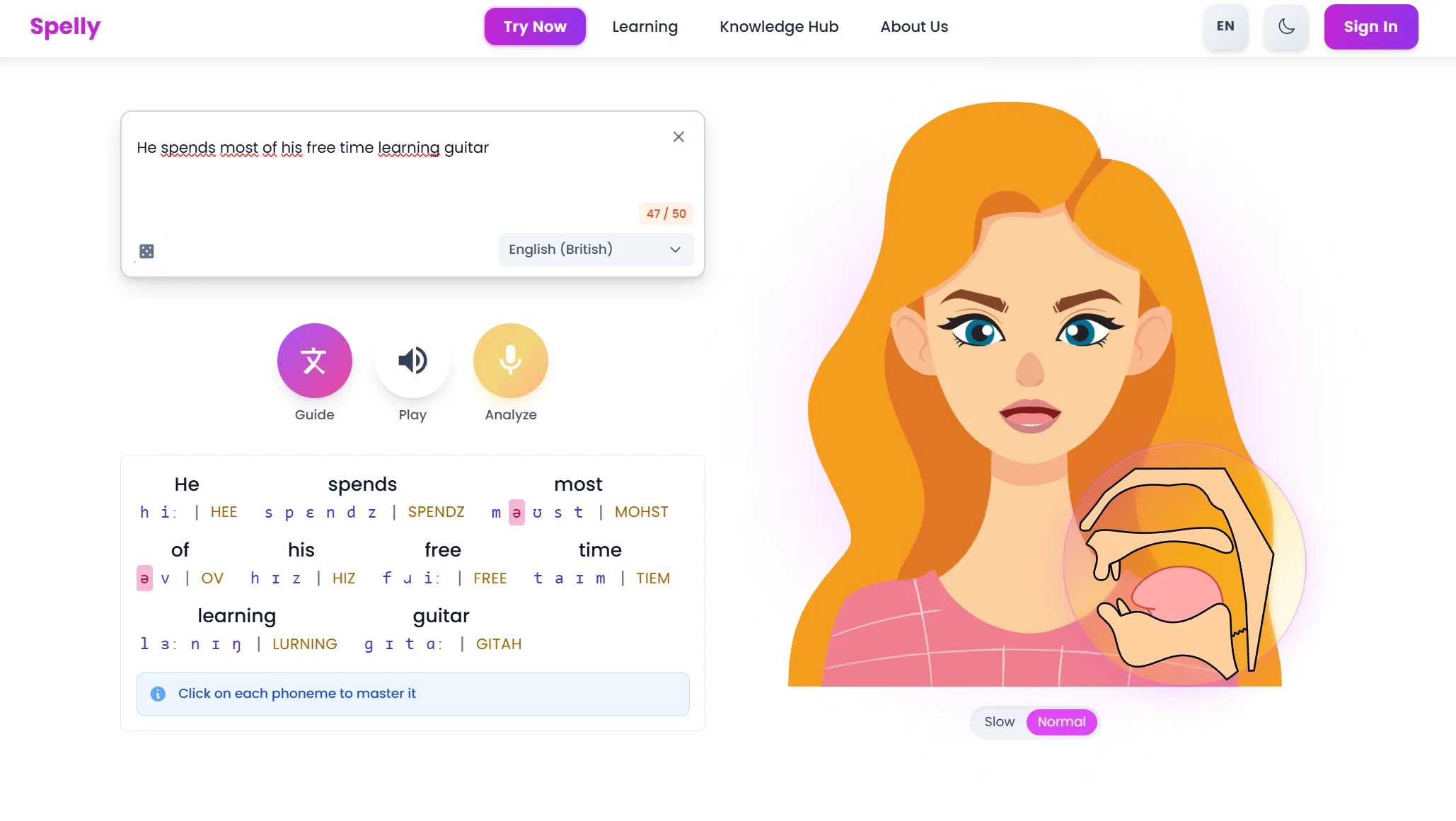
Spelly focuses on a missing piece in many speaking apps: visual pronunciation guidance. It shows mouth shape and tongue position (visemes + internal articulation) so learners can correct sounds faster. This is especially helpful when audio-only tools feel unclear and progress feels slow.
For goals like speaking confidently in meetings, sounding more natural in interviews, or improving test speaking performance, the biggest gains come from clear, visual, repeatable feedback. Spelly is designed for practice that feels specific and easy to repeat.
Why visuals help so much
Your brain can learn speech like any motor skill: by seeing targets and repeating. Audio-only feedback often leaves you guessing. Visual guidance turns “I don’t know what I’m doing wrong” into one clear adjustment.
Want the science foundation? Read how your vocal tract creates sounds.
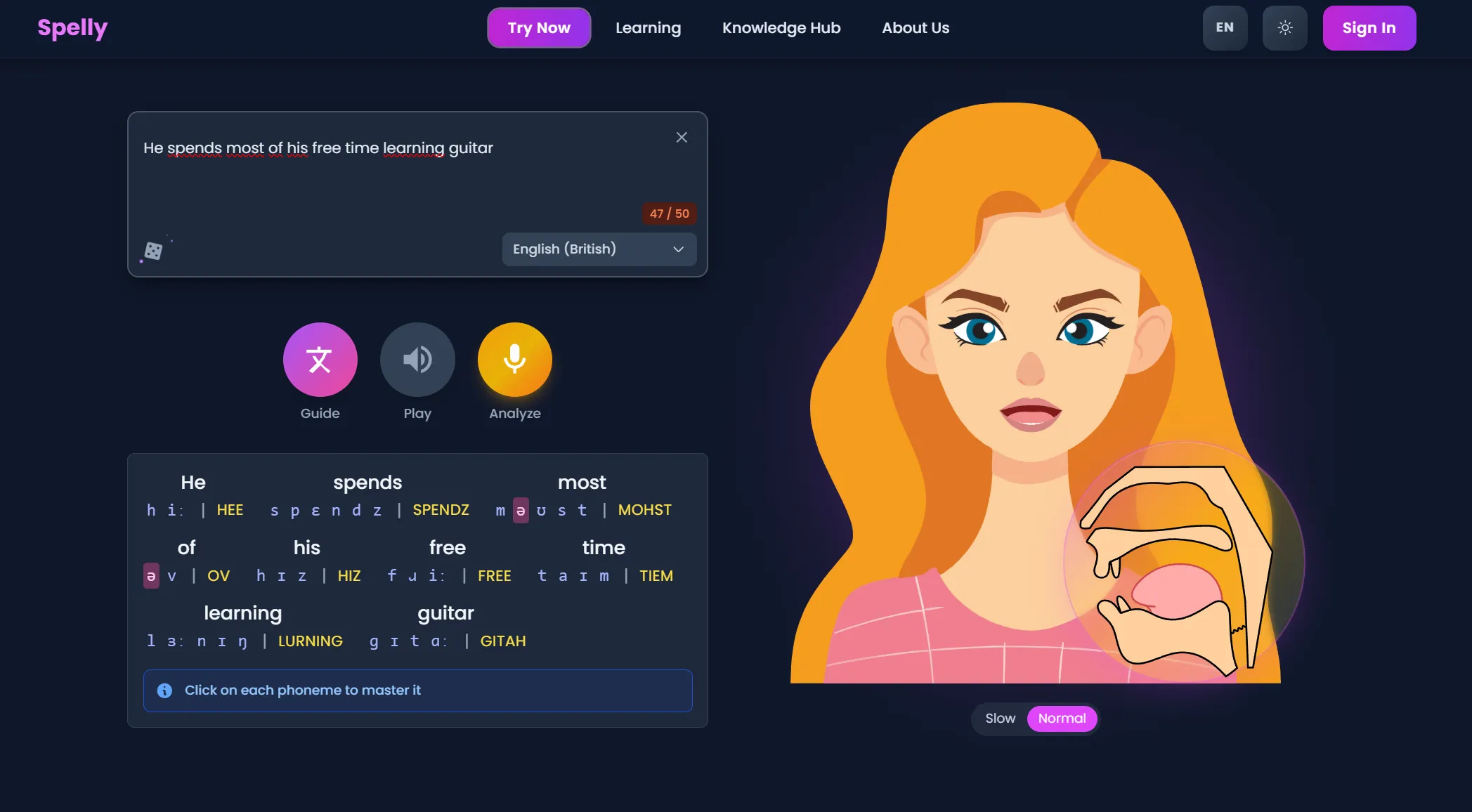
Visual Feedback (Screenshot)
This is what visual feedback looks like in practice. It’s a fast way to understand what to change and repeat the fix without guessing.
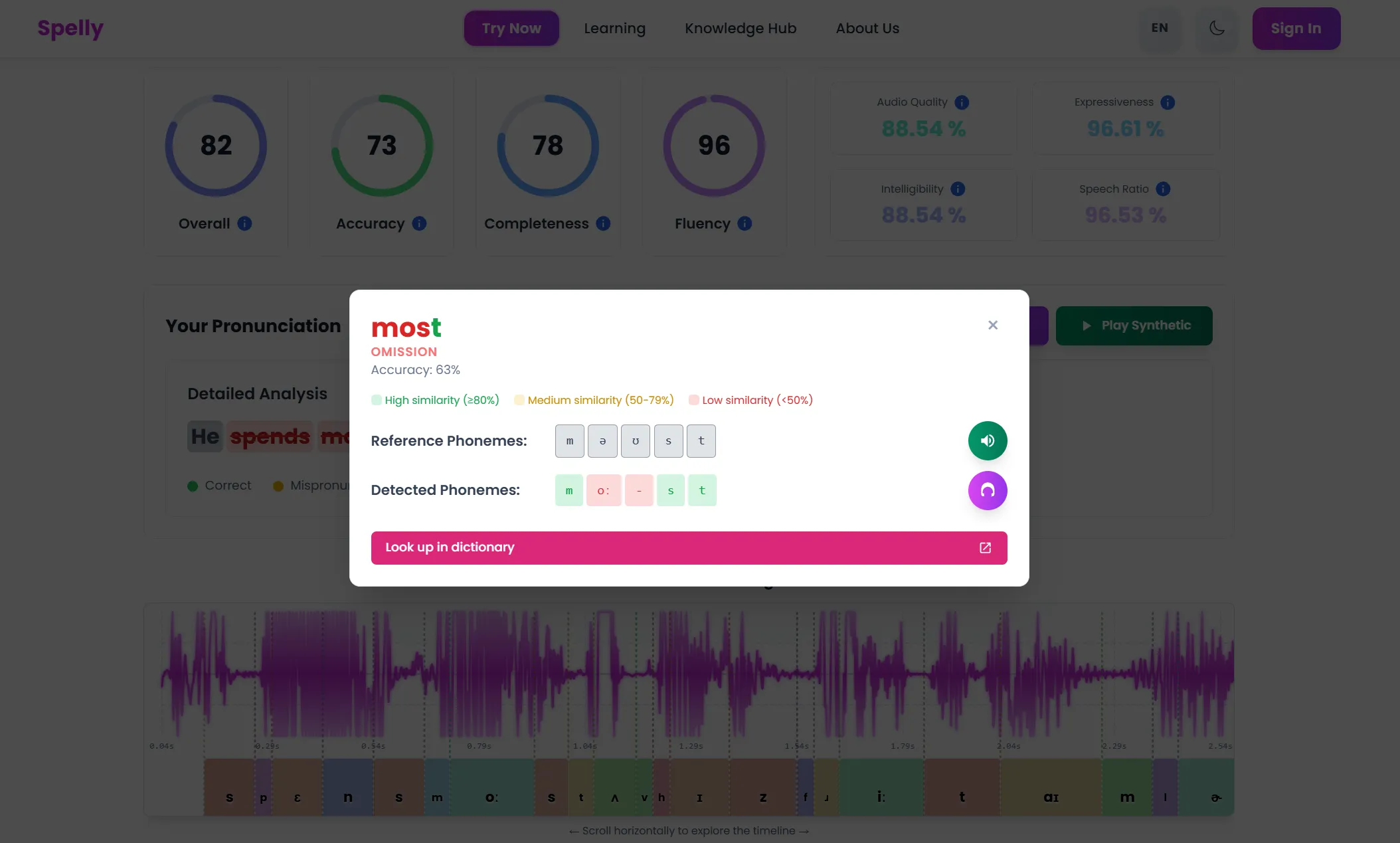
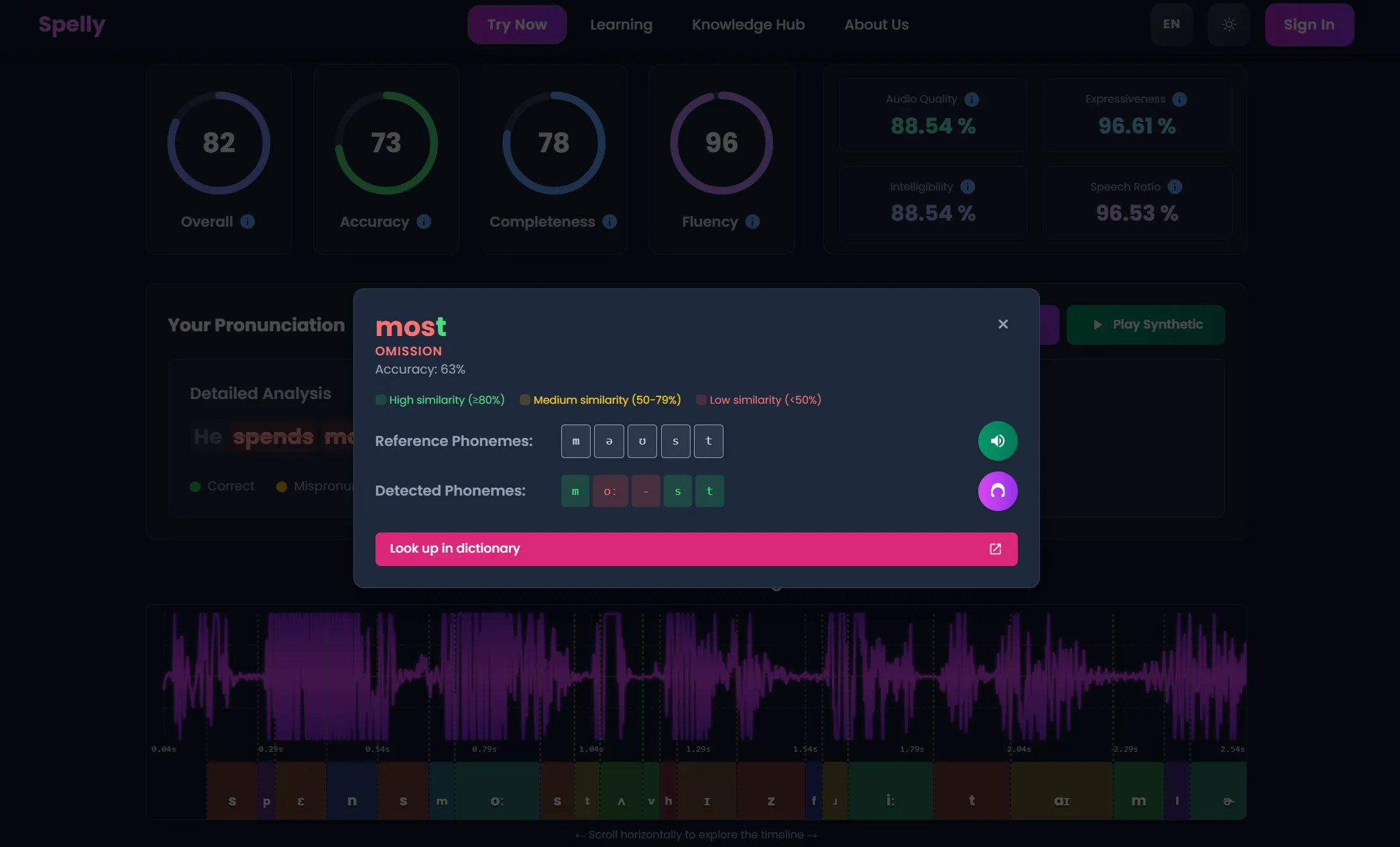
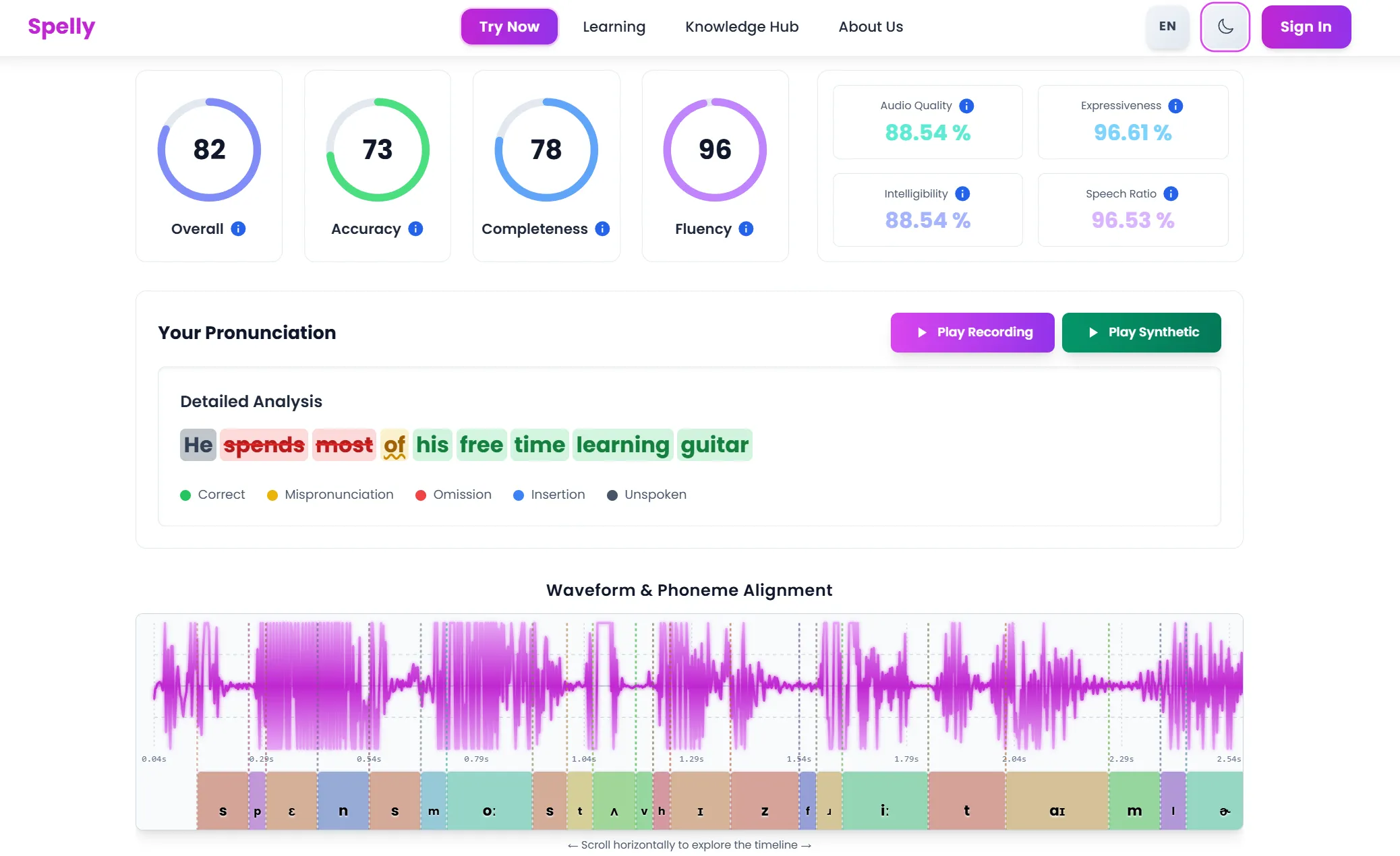
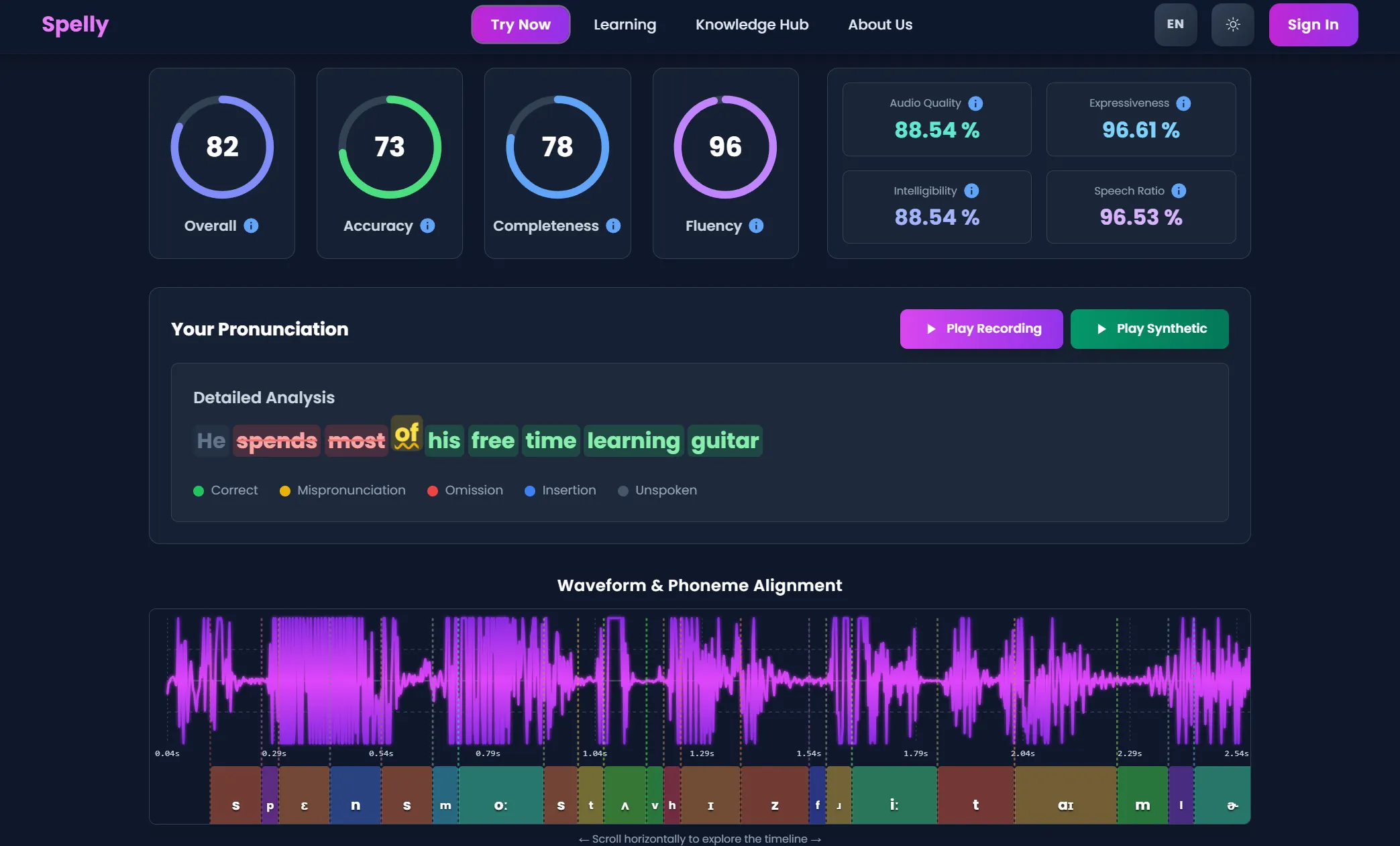
Phoneme‑Level Analysis (Screenshots)
These screenshots show what phoneme-level feedback looks like in practice: clear cues that can be repeated until they stick.
Practice: "I SPEAK clearly and confidently EVERY day."
A 7‑Day AI Speaking Routine (for Fluency + Confidence)
- Day 1–2: Focus on the most difficult sounds in your language pair.
- Day 3–4: Practice stress and rhythm with short sentences.
- Day 5: Shadow a 30–60 second clip and compare your delivery.
- Day 6: Record a mini‑story and check clarity + pace.
- Day 7: Re‑do Day 1 to measure progress and boost confidence.
A 10‑Minute Daily Plan (Busy Professionals)
If you’re working full-time (or studying) and you need a routine you can actually keep, use this structure:
- 2 minutes: Warm-up + slow articulation (over‑articulate)
- 4 minutes: One “problem sound” drill (minimal pairs + short phrases)
- 3 minutes: Rhythm + stress practice on one sentence
- 1 minute: One confident “real life” line (interview/meeting intro)
This works whether you’re preparing for IELTS, improving workplace fluency, or practicing for job interviews. Consistency beats intensity.
Practice: "Could you REPEAT that, please? I want to make sure I understood you CORRECTLY."
Common Problems (and What AI Can Fix)
“People understand me, but I don’t sound natural.”
That’s usually rhythm + stress + linking. Practice short sentences, focus on content words, and reduce function words. AI tools help when they highlight stress and pace, not only pronunciation.
“My accent feels ‘strong’ and I feel embarrassed.”
You don’t need to remove your identity. Most learners want clarity. Visual articulation feedback is one of the fastest ways to improve clarity without trying to “become someone else.”
“I freeze in conversations even when I know the words.”
That’s confidence + automaticity. You need repeatable drills and a predictable script for real situations (introductions, small talk, clarifying questions). Use AI tools as a safe practice space.
FAQ
How should an AI speaking app be chosen?
The best choice depends on the goal. For fluency, prioritize rhythm and stress feedback plus repeatable practice. For clearer pronunciation, prioritize phoneme-level guidance and visual support. A quick test is simple: after a short session, the feedback should point to one clear adjustment to make on the next repetition. Spelly is a strong fit when visual guidance is needed.
Can an accent be improved for interviews and meetings with AI?
Yes. AI is most helpful for clarity, pacing, and the “repeatable” lines that come up often (introductions, strengths, examples). Practicing the same answers and focusing on a small number of sounds each week tends to work well. Spelly helps by making the target mouth shapes and articulation easier to understand.
Why do some pronunciation apps feel inconsistent?
Microphone quality, background noise, and speaking too fast can reduce accuracy. If feedback seems inconsistent, slow down, speak one sentence at a time, and test in a quiet room. Tools like Spelly that add visual feedback can also make it clearer what to change even when audio conditions are not perfect.
Is an AI speaking app enough without a tutor?
For many learners, yes, as long as the feedback is actionable and practice is consistent. A tutor can speed up progress, but an AI tool can cover daily repetitions. Spelly is useful as a daily practice option because it keeps feedback concrete and easy to repeat.
How do I get started with Spelly?
Just click the practice button above or visit the tool page—it’s free to try and designed specifically for language learners who want visual, step-by-step speaking feedback.
Ready to Improve Fluency, Confidence, and Accent?
Spelly gives you instant AI feedback plus visual guidance so you can fix pronunciation fast and build real speaking confidence. If you want a tool designed for language learning—not just scores—start here.
Try Spelly’s AI Speaking ToolKey Takeaway: To improve speaking with AI, choose a tool that gives specific, repeatable feedback. Combine phoneme-level guidance (clarity) with rhythm practice (fluency) and a short daily routine (confidence).